


Larix Broadcaster: Live Stream
2.9139.00 Reviews
App Specs
- Version
- 1.5.13
- Updated On
- License
- Free
- Downloads
- 100,000+
- Developer
- Furtree Systems, Inc.
- Categories
- Communication
- Platform
- Android
Screenshots
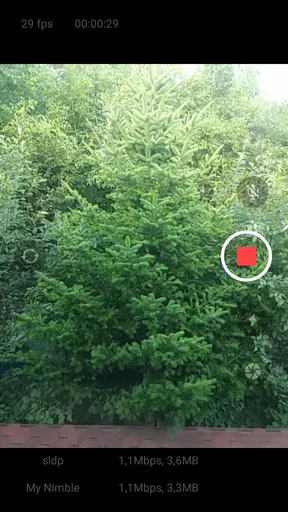
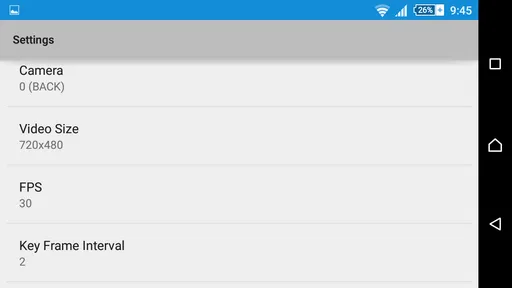
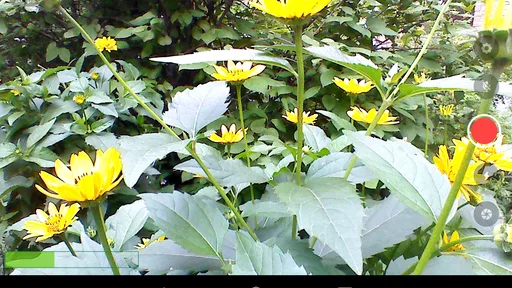
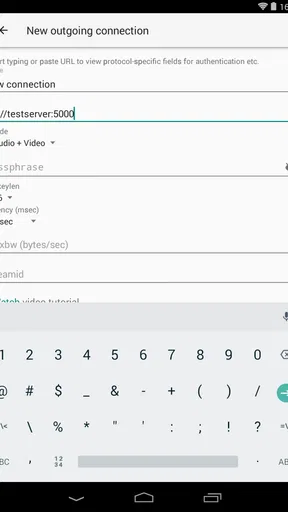
 Analysis by AppCompare
I would approach a first live stream with Larix Broadcaster: Live Stream as a camera-and-connection tool, not as a social network that supplies an audience or decides where the video goes. That distinction makes the first session less mysterious: you choose a destination, enter its connection details, check the phone’s network, and then send the video. I find that workflow useful when the stream itself matters more than built-in comments, discovery, or a polished creator page.
What to expect from a mobile broadcaster
Larix Broadcaster is a free communication app from Furtree Systems, Inc., with optional in-app purchases priced from $9.99 to $119.00 per item. It is rated for Everyone and has an average rating of 2.9 from around 1,500 ratings, so I would treat it as a specialized tool worth testing for your own setup rather than assuming it will suit every phone and streaming service. It has more than 100,000 installs, and its current version is 1.5.6.
The app’s appeal is its emphasis on sending a live feed through different streaming protocols, including RTMP, SRT, NDI, and WebRTC. That flexibility can help when a venue, production workflow, or streaming destination expects a particular connection method. It also brings a trade-off: a protocol-oriented broadcaster can feel less self-explanatory than opening a mainstream social app and tapping its live button. If you only want to broadcast to followers with minimal setup, the built-in live feature of the platform you already use may be simpler.
Make the first setup deliberately small
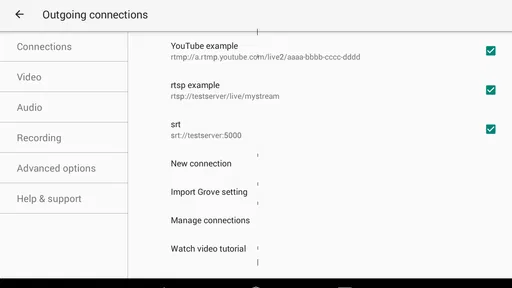
For a first attempt, I would not begin with a public event or a complicated production. Get the server address and stream key from the destination you plan to use, then enter them carefully in Larix. Those details are what connect the app to your chosen service; they are not interchangeable, and a typo can look like a streaming problem even when the phone and app are working normally. Keep the key private, too, since it is part of your access to the broadcast destination.
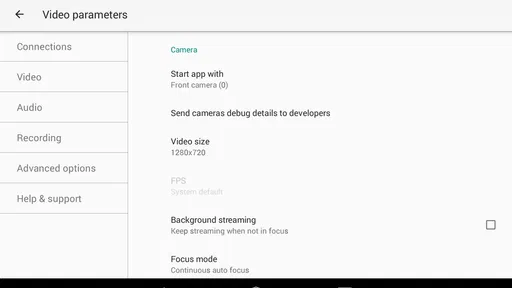
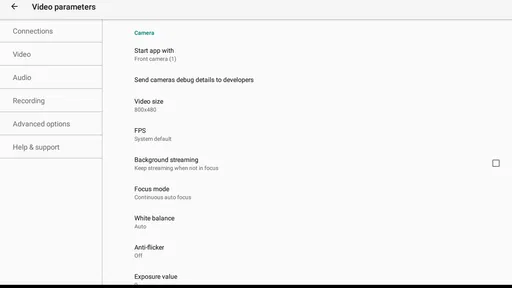
Before going live, settle on a place with dependable connectivity and check what the destination expects. A high-quality picture is not automatically the best choice if the connection cannot sustain it. Start with conservative video settings, make a short private or otherwise low-stakes test where your service allows one, and only raise quality after you know the connection holds. This is a more useful first experiment than changing several settings at once, because you can tell which adjustment helped or caused trouble.
Larix Broadcaster was released on August 11, 2015, and its minimum operating-system requirement is version 7.0. I would still check that the app runs as expected on the particular device I plan to use. A phone’s camera, network conditions, and available battery can affect a live session just as much as the broadcaster itself, so a quick rehearsal on the actual device is worth the time.
Your first meaningful success
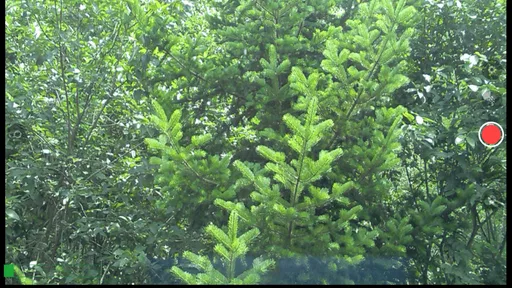
A good first goal is not a long or elaborate show. It is a brief test in which you confirm that the destination receives a picture and sound, then check the result from the viewer side if possible. That small loop answers practical questions that the phone preview alone cannot: whether the service accepts the stream, whether the framing works, and whether the sound is understandable at the other end.
Worth Reading Before You Choose

EA SPORTS FC Mobile 26 Is a Bigger Football Game, but It Takes Time

Flipboard Shows What News Apps Must Do Beyond the Feed

Switching to Android Auto Means Rethinking Your Driving Routine

Google Calendar Makes a Crowded Week Easier to Manage

Ludo King Makes the Most of the Minutes Between Plans

Baby Panda World Brings Quick Play to Modern Phones, but Its Game Library Feels Busy
For example, imagine you want to show a friend a local event without asking them to install a new app. You can first connect Larix to a streaming destination you both can access, position the phone where it has a stable signal, and do a short test before the main activity begins. If the image looks soft or the audio is hard to hear, you can adjust your position or settings before the moment you care about. I would also keep the phone still where possible; small movements that feel natural in your hand can make a long live view tiring to watch.
Where the extra controls help—and where they add work
The protocol choices are the strongest reason to consider this app over a basic social streaming button. RTMP is a familiar route for connecting to a streaming service or custom server, while support for SRT, NDI, and WebRTC gives the app room in workflows that use those methods. That does not mean every user needs to learn all of them. I would choose the protocol required by the receiving service and leave the rest alone until there is a clear reason to explore them.
Overlays and front- or rear-camera switching can make a phone stream more intentional, but they are most useful when planned before the broadcast. A simple title or visual element can help viewers understand what they are watching; adding things while handling a live scene can distract from the subject or lead to awkward framing. I would test any overlay in advance and make sure it does not cover the important part of the image.
Real-time performance statistics are more useful as clues than as a guarantee of what viewers experience. If a stream starts to falter, I would look for a pattern, then make one practical change at a time: move to a steadier connection, reduce the demands of the video settings, or stop other activity that might be competing for the network. The point is not to chase every number on screen, but to use the information to decide whether the current setup is reliable enough to continue.
Common snags and sensible trade-offs
When a connection fails, I would check the destination details before assuming the app is broken. Confirm that the server address and stream key belong together, that the destination is ready to receive the broadcast, and that the selected protocol matches what it supports. If video arrives but sound does not, check the audio setup and do another short test; changing the video resolution will not solve an audio problem. These checks sound basic, but they prevent a lot of last-minute guesswork.
Battery and heat deserve attention during longer sessions. Live video keeps the camera and network active, so I would begin with a well-charged phone, avoid blocking it with a case or placing it in direct sun, and keep a power source available for an extended event. I would also frame the shot and confirm audio before going live instead of repeatedly relaunching the camera or changing the setup midstream. Those habits are simple, but they make a mobile broadcast feel much less fragile.
There is also a choice between using Larix and using a platform’s own live feature. The platform option is usually the easier route if your main aim is to reach its followers and use its built-in audience tools. Larix makes more sense when you need a separate broadcaster that can connect to a service or production setup through a supported protocol. It is not a replacement for every part of a creator platform: you still need to decide where viewers will watch and how you will share that destination.
Who I would recommend it to
I would recommend trying Larix if you already have a streaming destination, need protocol flexibility, or want to use a phone as part of a larger live workflow. It can also suit a club, community group, independent reporter, or small event organizer who wants to test mobile broadcasting without starting with a dedicated camera setup. The best fit is someone willing to do a rehearsal and learn the few connection details their chosen destination requires.
I would skip it if you want a one-tap broadcast that automatically reaches an existing social audience, or if you have no interest in handling server settings and stream keys. In those cases, a platform’s own camera and live tools are likely more comfortable. It may also be the wrong choice for a high-stakes event if you have not tested the phone, destination, network, framing, and audio together beforehand. Protocol support is valuable, but it cannot remove the need for a dependable connection and a prepared workflow.
Getting Started with Larix Broadcaster
First things first, downloading and installing Larix Broadcaster is a breeze. It’s available on both Android and iOS, so no one’s left out of the fun. Once you’ve got it on your device, you’re greeted with a clean, straightforward interface. No overwhelming menus or confusing buttons—just what you need to get started.
Setting Up Your Stream
Setting up a live stream can often feel like preparing for a rocket launch, but not with Larix. The app guides you through connecting to your streaming service of choice. Whether you’re on YouTube, Facebook, or a custom RTMP server, Larix has got you covered. The best part? You don’t need to be a tech wizard to make it happen.
All you need is your server URL and stream key, and you’re good to go. The app also lets you tweak some settings like video resolution and audio bitrate, which is great if you’re looking to optimize your stream quality.
Features You’ll Love
One of the standout features of Larix Broadcaster is its ability to stream in full HD. If you’re all about that crisp, clear picture, this app won’t disappoint. Plus, it supports various streaming protocols, giving you flexibility depending on your needs.
Another cool aspect is the real-time statistics. You can monitor your stream’s performance on the go, which makes it easier to spot any hiccups before your viewers do. And if you’re into customizing your stream, Larix allows you to add overlays and switch between front and back cameras seamlessly.
What’s the Experience Like?
Using Larix Broadcaster feels intuitive and smooth. Once you hit that “Go Live” button, you’ll feel like a pro broadcaster. The app runs efficiently without hogging your device’s resources, which is a big plus if you’re running other apps simultaneously.
During my test runs, I found the audio and video synchronization to be spot on. There’s nothing more annoying than a laggy stream, and thankfully, Larix didn’t drop the ball here. The latency is impressively low, ensuring your audience gets the most real-time experience possible.
Some Handy Tips
Before you dive into streaming, make sure you’ve got a stable internet connection. Streaming can be data-heavy, and a strong connection will ensure everything runs smoothly. Also, playing around with the settings to find the right balance for your device and network can make a big difference in your streaming quality.
If you’re planning to stream regularly, take advantage of the preset configurations. Larix allows you to save your preferred settings, so you don’t have to start from scratch each time. It’s a small feature, but a real time-saver in the long run.
Final Thoughts
Overall, Larix Broadcaster: Live Stream is a solid choice for anyone looking to stream from their mobile device. It combines ease of use with powerful features, making it suitable for both newbies and seasoned streamers. Whether you’re broadcasting a gaming session, a live event, or just chatting with followers, Larix has the tools to make you shine.
So, if you’re ready to jump into the world of live streaming, give Larix Broadcaster a shot. It’s reliable, feature-packed, and most importantly, it makes streaming fun and accessible. Happy streaming!
Pros
- High-quality video streaming.
- User-friendly interface.
- Supports multiple platforms.
- Offers customization options.
- Reliable connection stability.
Cons
- Requires strong internet connection.
- Limited advanced editing features.
- Consumes significant battery power.
- May have occasional lag issues.
- No desktop version available.
FAQs for Larix Broadcaster: Live Stream
What platforms does Larix Broadcaster support?
Larix Broadcaster is compatible with both Android and iOS devices, making it accessible for a wide range of users. It supports various streaming protocols such as RTMP, RTSP, SRT, and more, providing flexibility for live streaming on different platforms like YouTube, Facebook, and Twitch.
How user-friendly is Larix Broadcaster for beginners?
Larix Broadcaster is designed with an intuitive interface that caters to both beginners and advanced users. Its straightforward setup process and user-friendly controls make it easy to start streaming quickly. The app also offers customizable settings for those who wish to explore more advanced features.
Does Larix Broadcaster support high-quality video streaming?
Yes, Larix Broadcaster supports high-quality video streaming, offering resolutions up to 4K, depending on your device's capabilities. It also provides adaptive bitrate streaming, which adjusts the quality of the stream based on network conditions to ensure smooth playback.
Are there any costs associated with using Larix Broadcaster?
Larix Broadcaster is available as a free download with basic features. However, for access to premium features and advanced settings, users might need to purchase in-app upgrades. It’s advisable to review the in-app purchase options to determine what best suits your streaming needs.
What kind of customer support does Larix Broadcaster offer?
Larix Broadcaster offers comprehensive customer support through its website, providing detailed guides, FAQs, and troubleshooting tips. Users can also reach out for personalized assistance via email. The active user community is another resource for exchanging tips and solutions.


